Amazon Kindle: Reading App
Amazon Mobile LLCBooks & Reference
4.8180.50K Reviews
- Version
- Varies With Device
- Installs
- 100.00M
- Age Rating
- Teen
Screenshots

Our Review of Amazon Kindle: Reading App
 Analysis by Appyee
I find Amazon Kindle easiest to understand as a reading app first and a digital bookshelf second. It gives me a way to read on a phone or tablet without carrying a separate book, and it can make short stretches of otherwise idle time feel useful. If you’re opening it for the first time, the reassuring part is that you don’t need to build a complicated system before you can start: choose something to read, make the page comfortable, and settle in.
What to expect from a phone-based reading routine
This is a Books & Reference app from Amazon Mobile LLC, and its basic appeal is straightforward: your reading can travel with the device you already have. The app is free to install, though books and some other content may cost money; in-app purchases are listed from $1.99 to $11.99 per item. That distinction matters for a first-time user: installing the reader is not the same as getting every title without charge.
The app has an average rating of 4.8 from around 4.5 million ratings, with roughly 176,000 written reviews and over 100 million installs. It has been available since June 28, 2010, and its Teen content rating is worth keeping in mind when choosing books for younger readers. Those figures suggest a well-established service, but they don’t tell you whether its reading style will suit you. I’d judge that by trying a sample and seeing how the screen feels during an actual reading session.
Getting set up without turning it into a project
After installing it, sign in with an Amazon account or create one if you don’t have one. Then look for a title you already want to read, rather than trying to organize an imaginary library before you know how you’ll use the app. A sample is a low-pressure way to test a book’s writing and opening pages before deciding whether to buy it.
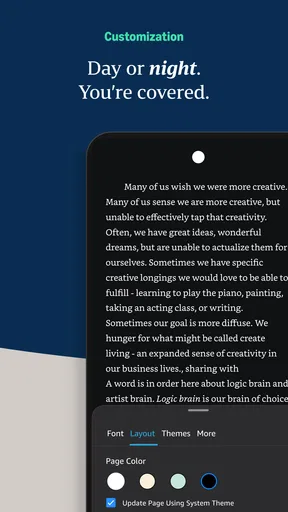
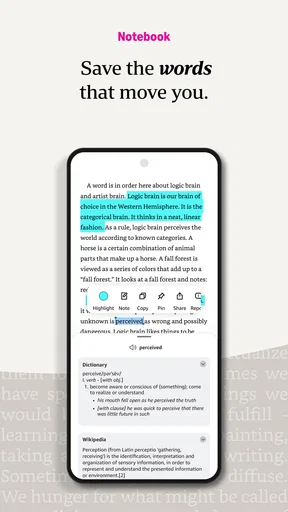
Once a book is open, take a moment to adjust the type size, background color, and line spacing. I’d do this before judging whether phone reading is tiring: a page that feels cramped at the default settings can become much easier to follow with a couple of small changes. The built-in dictionary is useful when an unfamiliar word interrupts the flow; tapping for a definition can answer the question without sending you out to a browser and losing your place.
The first small win: return to the same page
For a first meaningful test, read a few pages, add a bookmark or note if you need one, then switch to another device where you use the app. Kindle’s Whispersync is designed to keep your last page, bookmarks, and notes in step across devices, so this is a practical way to see whether that continuity fits your routine. I like this most when reading comes in short bursts: a chapter at home, a few pages while waiting, then a return later without hunting for the right spot.
All Your Books, All the Time
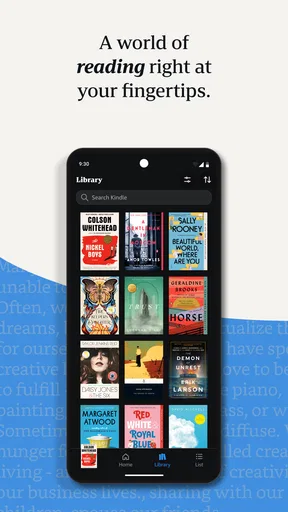
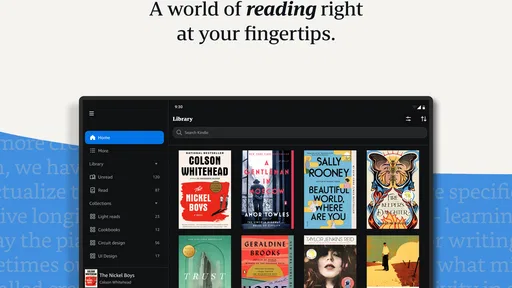
With the Amazon Kindle app, you've got access to a massive collection of books, magazines, and even audiobooks. Whether you're into thrilling mysteries or heartwarming romances, this app has something for everyone. And the best part? You can sync your reading across devices, so whether you're on your phone or tablet, you'll never lose your place. How cool is that?
Features That Make Reading a Breeze
Let's talk features! The Kindle app offers a customizable reading experience. You can adjust font size, background color, and even line spacing to suit your preference. Not to mention the built-in dictionary, which is a lifesaver for those tricky words. Just a tap and you've got the definition right there. Plus, the X-Ray feature gives you insights into characters and themes. It's like having a personal reading assistant at your fingertips.
Oh, and did I mention the Whispersync technology? It’s a game-changer. It seamlessly syncs your last page read, bookmarks, and notes across all your devices. So, you can start reading on your phone and pick up exactly where you left off on your tablet. It's like magic!
Your Own Personal Library
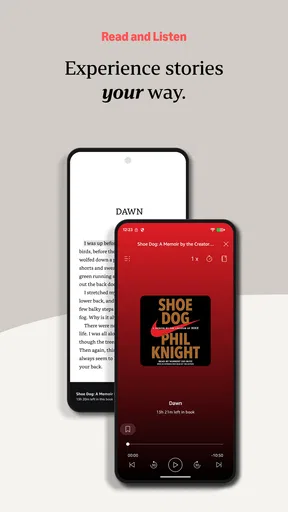
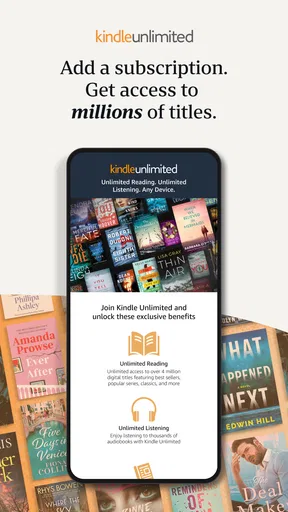
Beyond the feature set, one of the things I love most about the Kindle app is the sheer convenience. With the Kindle Unlimited subscription, you can access millions of titles for a monthly fee. It’s like having an all-you-can-read buffet. And if audiobooks are more your style, you can switch between reading and listening with Audible, without losing your spot. Perfect for those long commutes or lazy Sunday afternoons.
One thing I appreciate is the sample feature. You can download samples of books for free, so you can decide if it's a keeper before buying. It's a great way to discover new authors without any commitment. Talk about a win-win!
Sorting out the common points of confusion
A frequent first question is whether installing the app means books are included. It doesn’t: the reader itself is free, but titles and optional services can involve purchases or subscriptions. I’d treat a sample as a preview, not assume every book in the catalog is part of a subscription. If you’re watching your spending, check the terms shown for a specific title before committing and use samples to rule out books that don’t grab you.
Another useful distinction is between reading on a phone and owning a dedicated e-reader. The app is convenient because it puts books on a device you already carry, but that also means your reading shares space with messages, notifications, and other distractions. A dedicated e-reader is usually the better choice if you want a device set aside mainly for reading. If you prefer paper, enjoy lending or browsing physical shelves, or simply dislike screens for long sessions, a print book may suit you better.
Audio is a separate choice rather than an automatic substitute for every reading situation. The article’s audiobook option depends on Audible, so I’d check that the specific book and listening arrangement work for you before planning a commute around it. Reading and listening can serve different moments: text when you can focus on a screen, audio when your hands or eyes are occupied. Neither mode makes the other unnecessary.
Small habits that make the app more useful
I’d use samples deliberately: read enough to judge the author’s voice and pacing, rather than deciding from a cover or title alone. If the sample leaves you unsure, save the purchase for later instead of treating the download as a commitment. This is especially helpful when exploring an unfamiliar genre or choosing a book for a trip, because it lets you test whether the opening holds your attention before you rely on it for your downtime.
For readers who move between devices, make a quick sync check early. Read to a clear stopping point on one device, then open the book on another and confirm that the page and any bookmark are where you expect. This simple check turns a promising feature into a dependable habit. I’d also keep notes for questions or passages I want to revisit, rather than interrupting every reading session to search the web; the dictionary and X-Ray can help with immediate context, while notes preserve the thought for later.
A realistic routine might be reading a chapter at home on a tablet, then using a phone for a few pages in a waiting room and returning to the tablet that evening. The app’s strongest advantage in that situation is continuity, not a claim that a phone is always the most relaxing screen. I’d silence distractions when possible and adjust the page before a longer session. If the screen still bothers you, switching to paper or a dedicated e-reader is a sensible solution, not a failure to use the app correctly.
Who will get the most out of it
I’d recommend Kindle to someone who already reads digital books, wants one library accessible on a phone and tablet, or likes sampling titles before spending money. It also suits people whose reading time is fragmented: a few pages on a break can still add up when it’s easy to return to the same place. The dictionary, adjustable text, and cross-device continuity are especially helpful when you read in different settings or want to keep track of unfamiliar names and terms.
I’d be less enthusiastic about it for someone who wants a completely distraction-free reading device, expects the app installation to include a full catalog, or mainly wants a free service with no purchases or subscriptions. It may also be a poor match for readers who prefer physical books or who find extended phone reading uncomfortable. In those cases, a library’s lending options, a dedicated e-reader, or print may fit better, depending on what matters most to you.
Compared with a general e-book reader that focuses on importing and organizing files, Kindle is most compelling when you want a route into Amazon’s book ecosystem and value syncing between devices. Compared with print, it trades the feel and permanence of a physical copy for adjustable text, portability, and a digital library. I wouldn’t call either side universally better; the right choice depends on whether convenience and continuity outweigh screen comfort and ownership preferences for your reading habits.
Making the next step your own
Once the first book is working for you, there’s no need to fill the library quickly. Pick a title you’re genuinely curious about, use a sample if you’re undecided, and read in the format that suits the moment. If a subscription such as Kindle Unlimited appeals, consider whether you’ll use its selection often enough to justify a recurring cost; if not, choosing individual books may be simpler. The useful question is not how large your digital shelf looks, but whether the app helps you read more comfortably and consistently.
My overall view is that the app is a practical choice for readers who want flexibility more than a screen-free experience. It makes the first step simple, and its best features become meaningful through ordinary habits: tuning the page, checking a sample, keeping a note, and moving between devices without losing your place. Just keep purchases and optional listening services in mind, and be honest about whether you enjoy reading on a phone.
Final Thoughts
In a world where everything is going digital, the Amazon Kindle app is a must-have for any book lover. It's like having a bookstore in your pocket, with endless possibilities at your fingertips. Whether you're a casual reader or a bookworm, this app offers a seamless reading experience that’s hard to beat. So go ahead, dive into the world of Kindle, and never be without a good book again!
Privacy and Permissions
See what permissions an app requests and how it handles your data.
- Device & app history
- retrieve running apps
- Identity
- add or remove accounts
- Location
- approximate location (network-based), precise location (GPS and network-based)
- Phone
- read phone status and identity
- Photos/Media/Files
- read the contents of your USB storage, modify or delete the contents of your USB storage
- Storage
- read the contents of your USB storage, modify or delete the contents of your USB storage
- Wi-Fi connection information
- view Wi-Fi connections
- Device ID & call information
- read phone status and identity
- Other
- view network connections, create accounts and set passwords, pair with Bluetooth devices, access Bluetooth settings, send sticky broadcast, change network connectivity, allow Wi-Fi Multicast reception, connect and disconnect from Wi-Fi, full network access, run at startup, use accounts on the device, prevent device from sleeping
How Amazon Kindle: Reading App Compares
Full ComparisonChoose Google Play Books for books and audiobooks without a subscription, Kindle for a broad ebook library and reading tools, or Audible for a dedicated audiobook and podcast service.
| App | Developer | Rating | Price |
|---|---|---|---|
 Google Play Books & Audiobooks | Google LLC | 4.7 | Free |
 Amazon Kindle: Reading AppThis App | Amazon Mobile LLC | 4.8 | Free |
 Audible: Audiobooks & Podcasts | Audible, Inc. | 4.6 | Free |
Verdict
Strengths of Amazon Kindle: Reading App
- Extensive eBook library available.
- Adjustable font sizes for easy reading.
- Syncs across multiple devices.
- Built-in dictionary for quick look-ups.
- Offline reading capability.
Limitations of Amazon Kindle: Reading App
- Limited support for non-Amazon formats.
- Some books can be pricey.
- Requires Amazon account to use.
- Not all features available offline.
- Ads in the free version.
Other Releases by Amazon Mobile LLC
View All
MX Player
Video Players & Editors4.2

Amazon Shopping
Shopping4.4

Prime Video
Entertainment4.7

Prime Video
Entertainment3.1
Similar Picks in This Category
View All
Google Play Books & Audiobooks
Google LLC4.7

네이버 - NAVER
NAVER Corp.3.5

Wattpad - Read & Write Stories
Wattpad.com3.7

King James Bible - Verse+Audio
Ozion4.8

Bible Offline-KJV Holy Bible
Bíblia Offline4.9

Audible: Audiobooks & Podcasts
Audible, Inc.4.6
You May Also Like
View All


Frequently Asked Questions
How does the Amazon Kindle app work on mobile devices?
The Amazon Kindle app allows you to read eBooks on your mobile device. After installing the app, you can purchase books from the Kindle Store or access your existing Kindle library. The app syncs across devices, so you can pick up where you left off on any registered device.
Do I need a Kindle device to use the Amazon Kindle app?
No, you don't need a Kindle device to use the Amazon Kindle app. The app is available for download on various platforms, including Android and iOS. It offers the same functionalities as a Kindle device, such as adjustable font sizes, background colors, and the ability to highlight text.
Are there any costs associated with using the Amazon Kindle app?
Downloading the Amazon Kindle app is free, but purchasing books from the Kindle Store incurs costs. However, the app includes features like Kindle Unlimited and Prime Reading, which provide access to a large selection of books for a monthly subscription or as part of an Amazon Prime membership.
Can I read offline using the Amazon Kindle app?
Yes, you can read offline with the Amazon Kindle app. Once you download a book to your device, it is stored locally, allowing you to read without an internet connection. This feature is particularly useful when traveling or in areas with limited connectivity.
What features does the Amazon Kindle app offer for enhancing the reading experience?
The Amazon Kindle app offers a range of features to enhance your reading experience, such as adjustable brightness, background color options, and font sizes. It also includes features like X-Ray for exploring book themes, Whispersync for syncing across devices, and the ability to highlight, annotate, and share passages.
